
Docket vs Record vs Document in Erie County
People often use "docket" and "record" interchangeably, but the distinction matters in Erie County. A docket is the chronological list of events filed in a case. The record is the broader case file, which can include exhibits, transcripts, and orders. A document is the single filing, such as a motion or order. WebCivil shows docket-style summaries. NYSCEF shows the underlying documents. The Erie County Clerk's BrowserView shows recording metadata for filed legal records.
A docket entry from a Supreme Court case typically lists the filing type, the filing date, the filer, and the document or motion sequence. NYSCEF assigns a document number to each electronic filing and surfaces a status, such as Processed, in the filing list. A criminal docket on WebCrims surfaces calendar appearances rather than a deep document list.
The NYSCEF homepage is shown below. View it at iapps.courts.state.ny.us/nyscef.
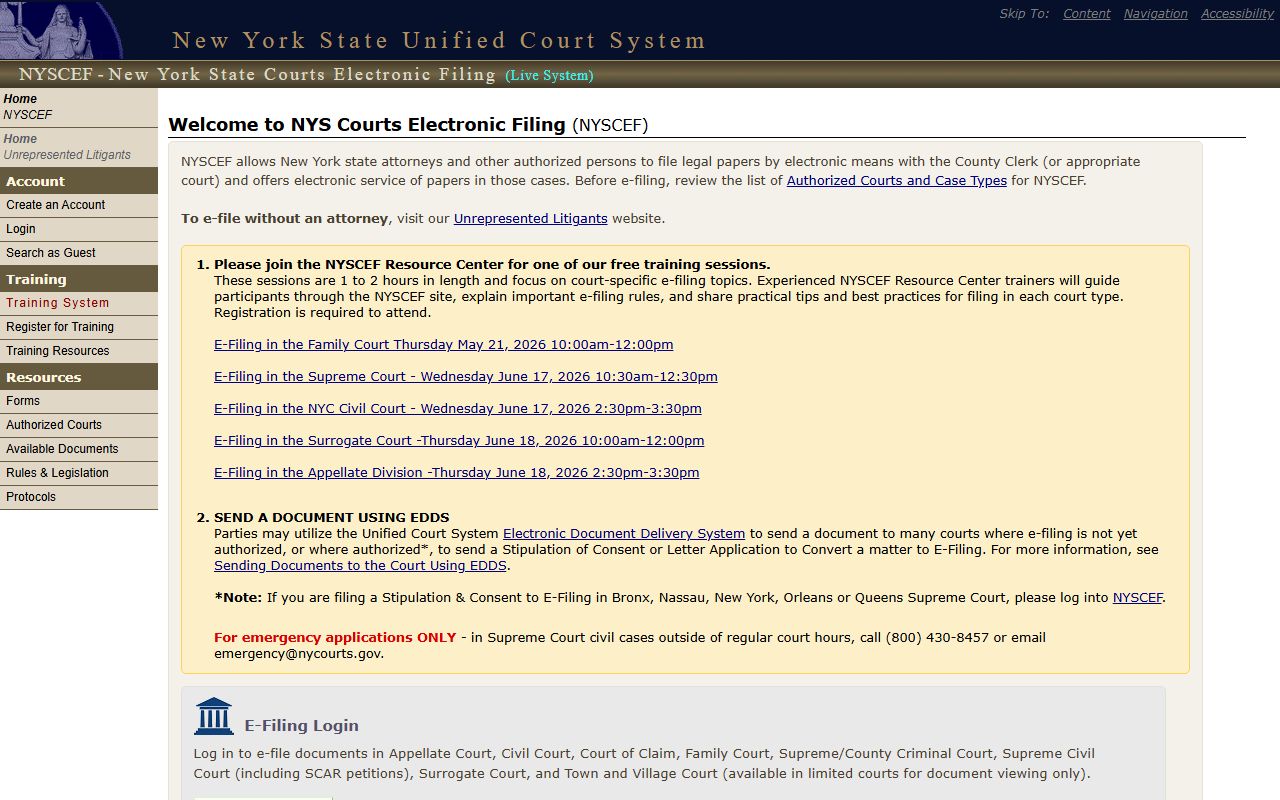
Guest search is available from that page, so an Erie County NYSCEF lookup does not require an attorney login.
WebCivil Supreme Calendars for Erie County
WebCivil Supreme is the statewide search for Civil Supreme Court status and calendars. It covers all 62 New York counties, including Erie, and supports searches by index number, party, attorney or firm, justice, and calendar date. The WebCivil FAQ confirms that results can be sorted by index number, defendant name, plaintiff name, county, or appearance date.
For Erie County calendars, the user selects Erie in the county drop-down and then chooses a search method. Calendar search by justice or court is helpful when a specific Erie Supreme Court justice is known. WebCivil should not be used as a document repository; it tracks case status and calendars, not e-filed PDFs.
- Index Number Search returns a full case status when the number is exact.
- Party Search supports partial names; multiple matches require additional filtering.
- Attorney or Firm Search lets a user enter part of a firm name and choose all words or exact phrase.
- Justice Search retrieves cases assigned to a specific Erie Supreme Court justice.
- Calendar Search retrieves appearances by court and date.
WebCrims Criminal Court Dates in Erie County
WebCrims is the public-facing criminal calendar search. It is most useful before a court date when the defendant, attorney, or family member wants to confirm the appearance. WebCrims supports defendant-name lookup, case or docket identifier lookup, and court calendar searches by county and date.
The captured WebCrims welcome screen is below. See it at the WebCrims portal.
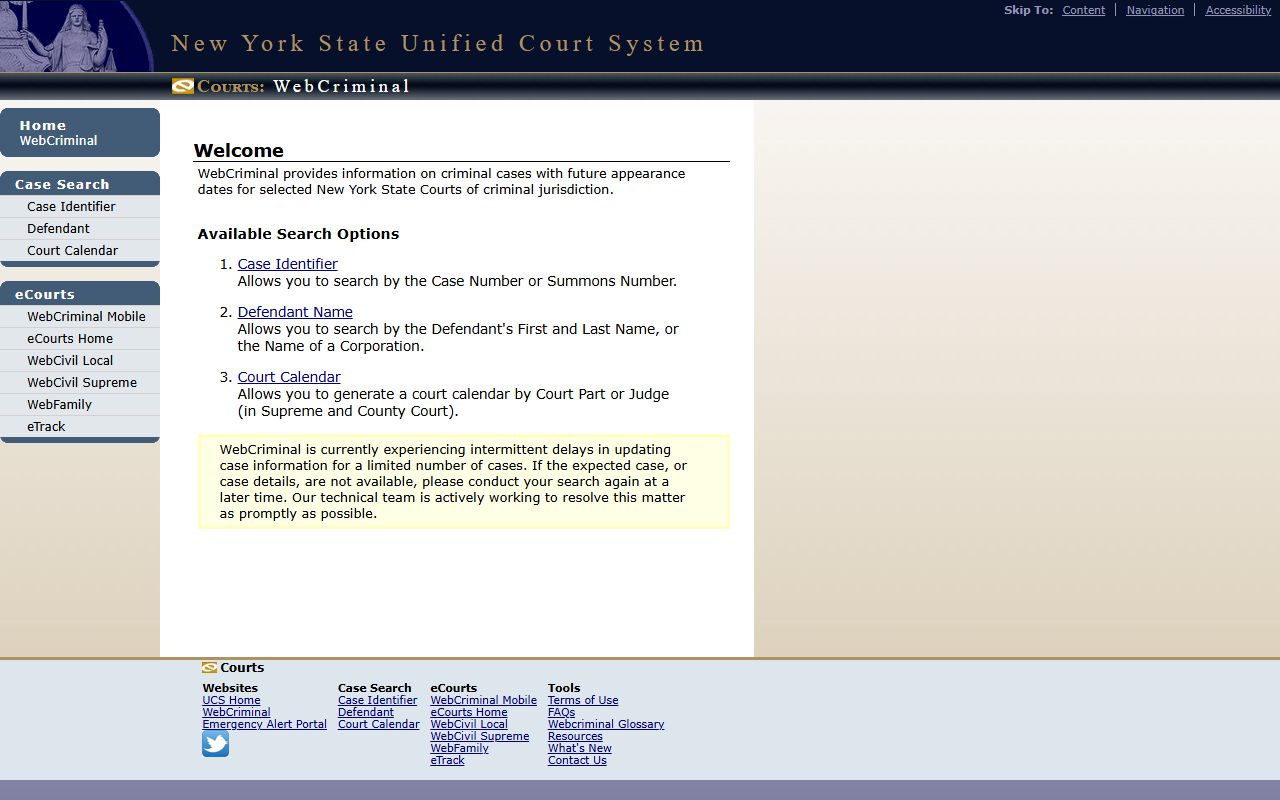
WebCrims has known limits. Closed, sealed, youthful offender, and certain confidential records may not appear. The page is not an all-time Erie County arrest-record archive. For closed criminal record requests, the Erie County Clerk Actions and Proceedings office at 92 Franklin Street is the right channel.
NYSCEF Docket Entries for Erie County Cases
NYSCEF stores e-filed documents for participating courts. Erie County Supreme Court has e-filing protocols, and Erie Surrogate's Court has e-filing notices for many proceedings. A NYSCEF docket entry lists the filing or document number, the document type, the filed date, the filer, and the access status. Sealed and confidential documents are blocked even when the case caption is public.
Filing types on a Supreme Court NYSCEF docket include summons, complaint, answer, notice of motion, affirmation, affidavit, exhibit, proposed order, order, judgment, stipulation, request for judicial intervention, note of issue, and notice of appeal. Each is sequentially numbered. Users who need a certified copy still go through the Clerk, even when NYSCEF surfaces the document image.
WebSurrogate Probate Dockets
WebSurrogate covers Erie County Surrogate's Court probate, administration, accounting, and miscellaneous proceedings. A user picks Erie County in the court drop-down and then searches by file number, decedent or party name, or a date filter. Full file review may need the Public Access Room at 92 Franklin Street, Room 201.
The WebSurrogate landing page is captured below. See it at websurrogates.nycourts.gov.
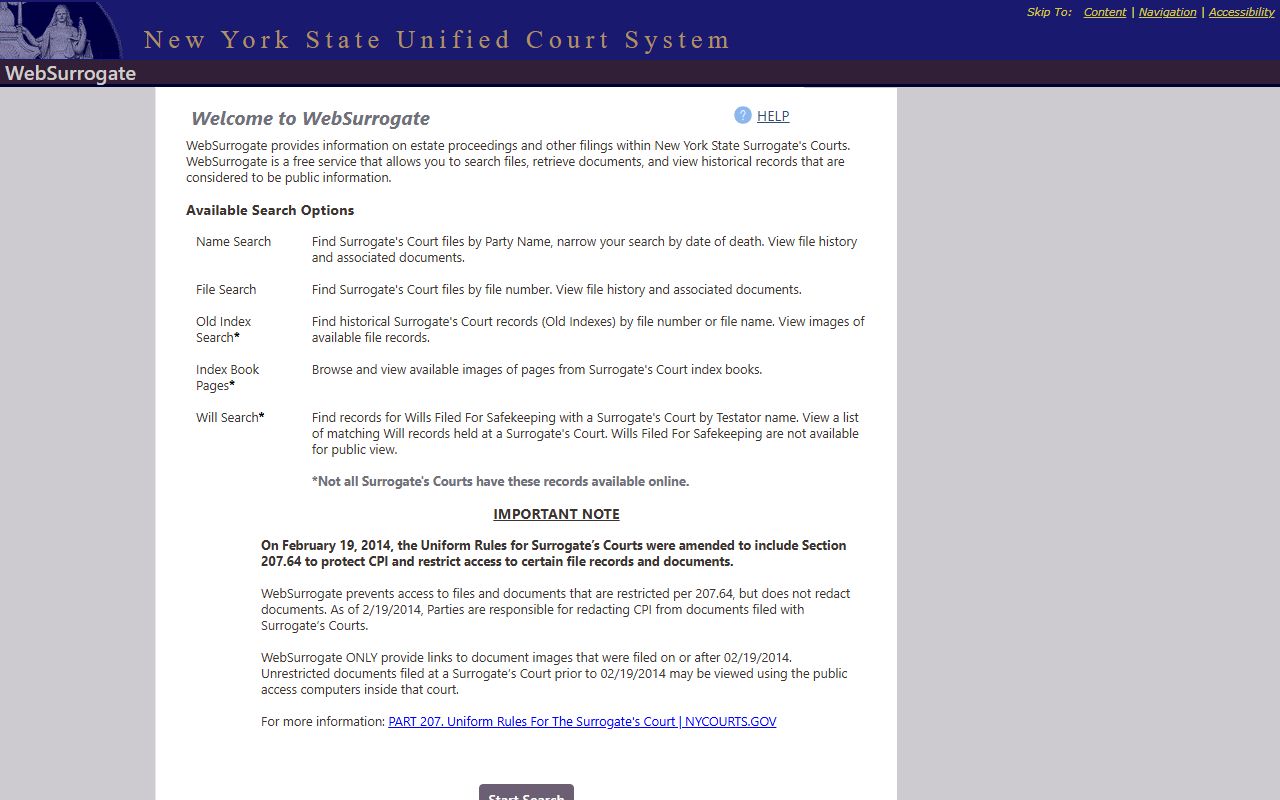
Adoption records are not on WebSurrogate. Adoption files are sealed under DRL § 114 and access requires a court order.
Erie County Clerk Document Detail
Clerk BrowserView surfaces a document-detail screen that fills the docket role for recorded legal records. Visible fields include type, instrument number, recording date and time, book type and book or page, page count, consideration, parcel and legal description, direct and reverse parties, linked documents, and reverse linked documents. Status flags include V or B for verified records and R or C for replaced or correction records.
| Field | What It Shows |
|---|---|
| Type | Document type or type code or name. |
| Instrument No. | The Clerk file number for the recording. |
| Date | Recorded date and recorded time. |
| Book Type | Recording book category. |
| Book / Page | Older or parallel recording reference. |
| Pages | Page count of the document. |
| Direct Parties | Filing party label; an asterisk marks the From Party. |
| Reverse Parties | Indexed counterparty or counterparties. |
| Linked Documents | Cross-references such as Mortgage to Assignment, with book and page or control number. |
| Image Status | Image restricted, no image, or no document selected. |
Image status messages are common. "Image restricted" means a registered user or in-office terminal is needed. "No image" means the public browser session cannot display the file, even if the record itself is fully indexed.
Reading Case Status in Erie County
Case status labels vary by court system. WebCivil uses "Active" and "Disposed" plus motion- and appearance-level labels. WebCrims tracks pending criminal calendar status. NYSCEF marks an e-filed document as Processed when it has been accepted by the court. Clerk BrowserView uses recording verification codes V and B.
Erie County users should treat status as a snapshot. The 2024 local criminal record search form notice says the Clerk's office may limit a requester to 10 searches per day. State portals also lag; recently filed motions and orders may not appear for a day or more depending on entry workload.
Court Part and Judge Assignments
Erie County Supreme Court justices, Family Court judges, the Surrogate, and Buffalo City Court judges each manage their own dockets. The Erie County Supreme Court official page lists part numbers, floors, court clerk phone numbers, and IAS rules for individual justices. Family Court parts handle abuse and neglect, family offense, juvenile delinquency, PINS, custody and visitation, family treatment, juvenile treatment, support and paternity, and permanency compliance. Buffalo City Court has criminal records, civil judgment room, small and commercial claims, and housing court departments.
Users who only know the court but not the part should call the Chief Clerk's Office for the relevant court. Supreme and County Court chief clerk routing sits at 716-845-9301. Buffalo City Court Chief Clerk's Office is at 716-845-2689. Family Court Petition Processing is at 716-845-7420.
Older Erie County Court Dockets
Online docket access is strongest for cases filed in the last decade. Older Erie County cases may sit only in paper or microfilm at the Clerk's record room or at the relevant court. Closed criminal cases route through the Erie County Clerk Actions and Proceedings desk. Closed civil cases and older Supreme Court matters may need a clerk search request and a fee under Judiciary Law § 255.
Genealogy users searching for historical case data should also check the Clerk's genealogy resources, which include naturalization, military discharges, and marriage records from 1878 to 1935. Probate matters from earlier eras may sit in the Surrogate's Court archives at 92 Franklin Street.